
SMS Program & Consent Demonstration
Last updated: August 9, 2026
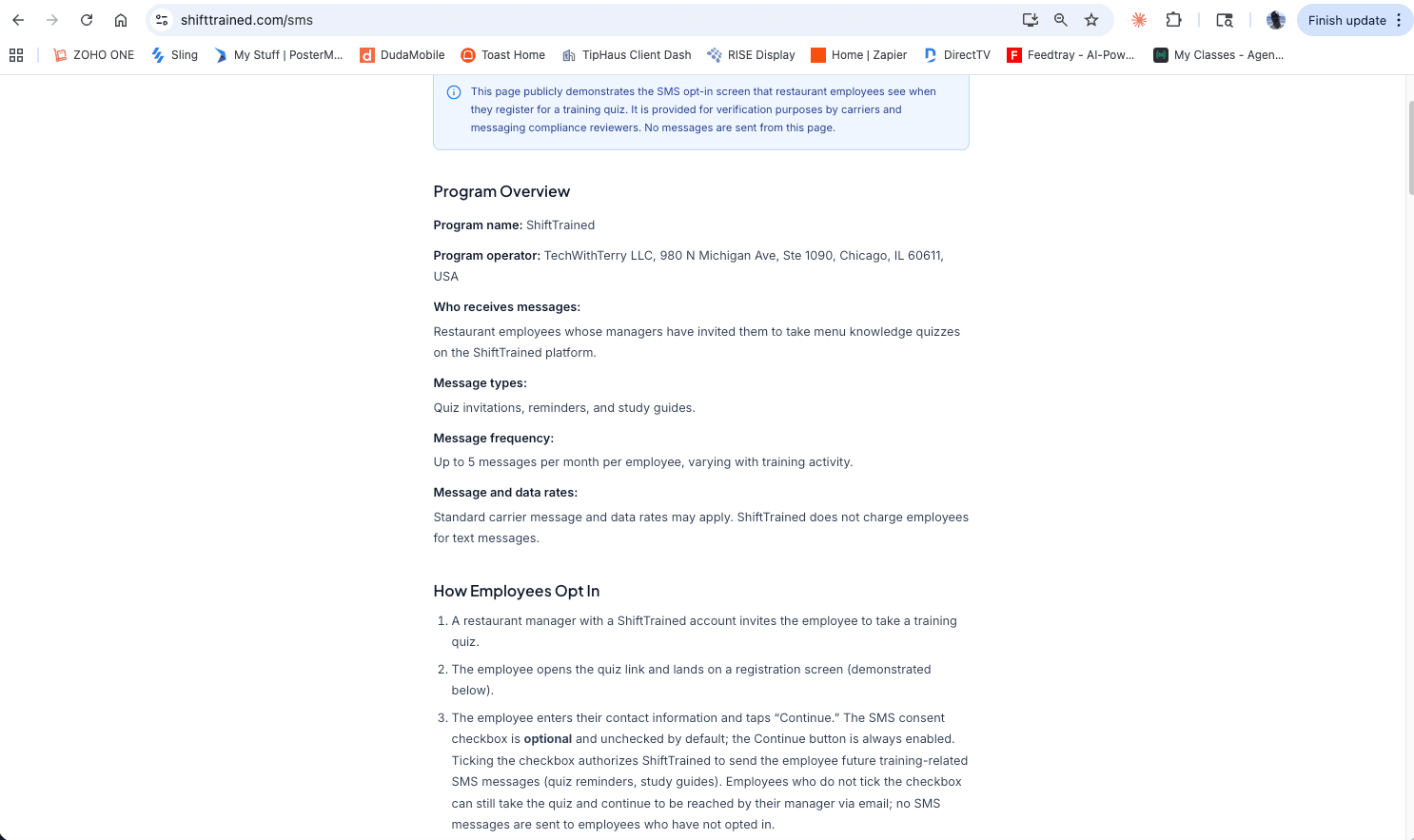
This page publicly demonstrates the SMS opt-in screen that restaurant employees see when they register for a training quiz. It is provided for verification purposes by carriers and messaging compliance reviewers. No messages are sent from this page.
Program Overview
- Program name:
- ShiftTrained
- Program operator:
- ShiftTrained, Inc., 980 N Michigan Ave, Ste 1090, Chicago, IL 60611, USA
- Who receives messages:
- Restaurant employees whose managers have invited them to take menu knowledge quizzes on the ShiftTrained platform.
- Message types:
- Quiz invitations, reminders, and study guides.
- Message frequency:
- Message frequency varies with training activity.
- Message and data rates:
- Standard carrier message and data rates may apply. ShiftTrained does not charge employees for text messages.
How Employees Opt In
- A restaurant manager with a ShiftTrained account invites the employee to take a training quiz.
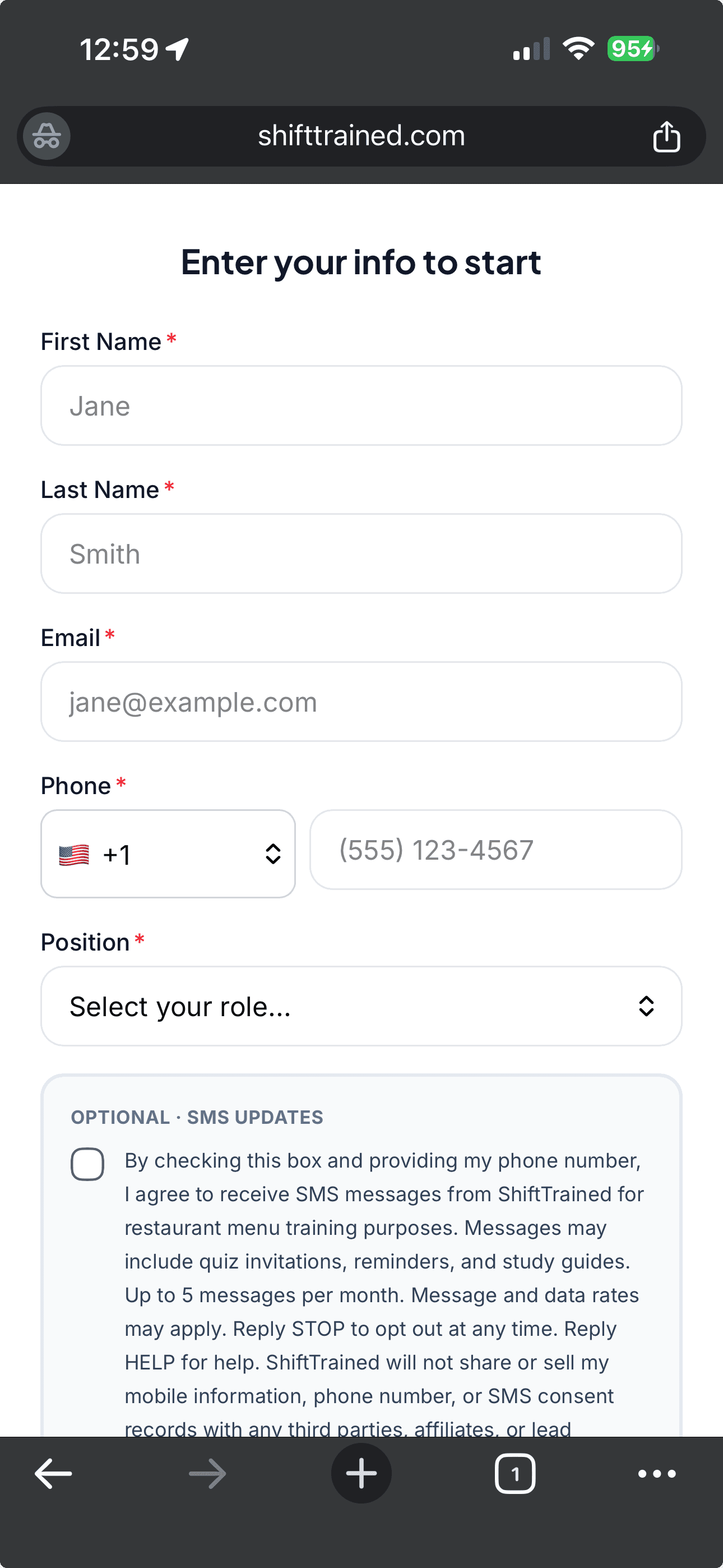
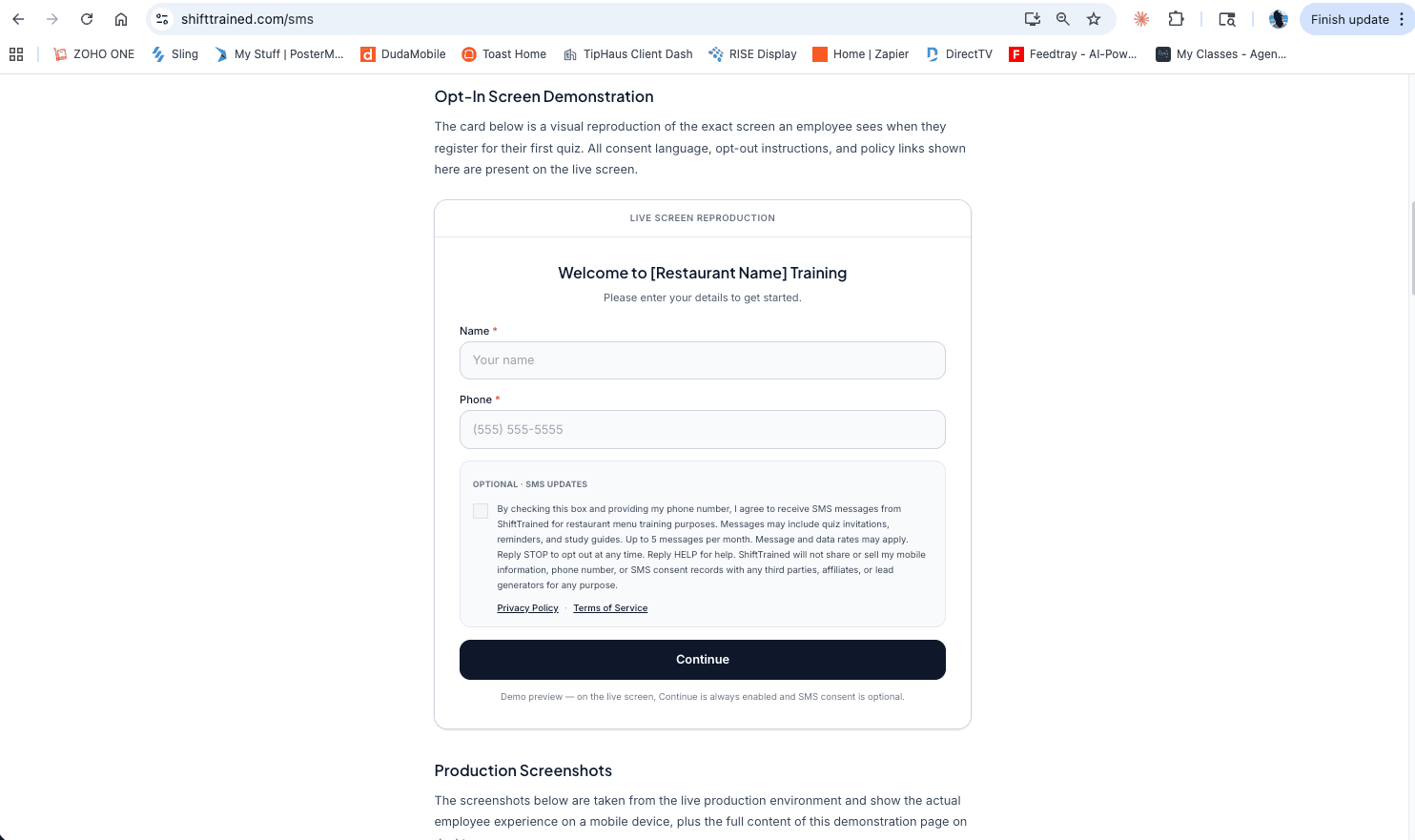
- The employee opens the quiz link and lands on a registration screen (demonstrated below).
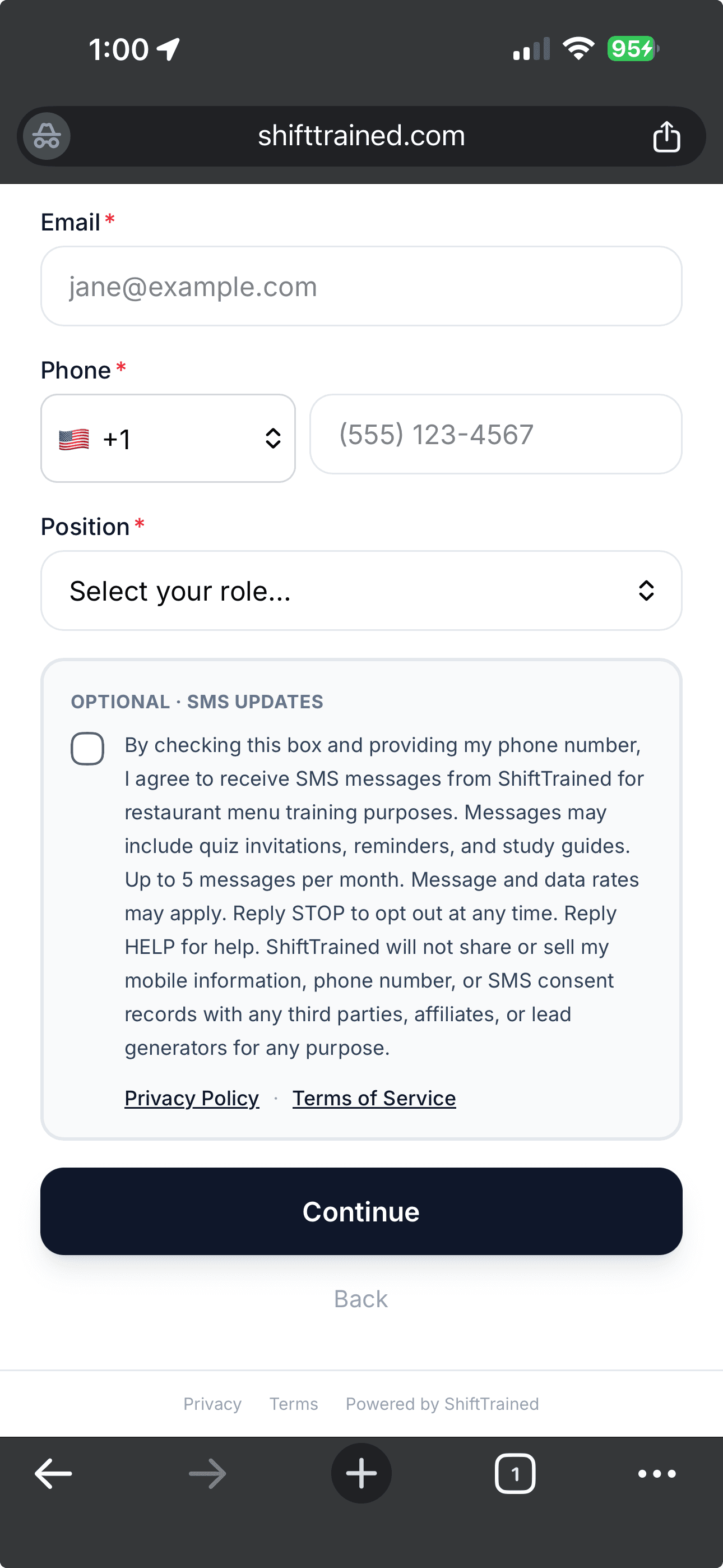
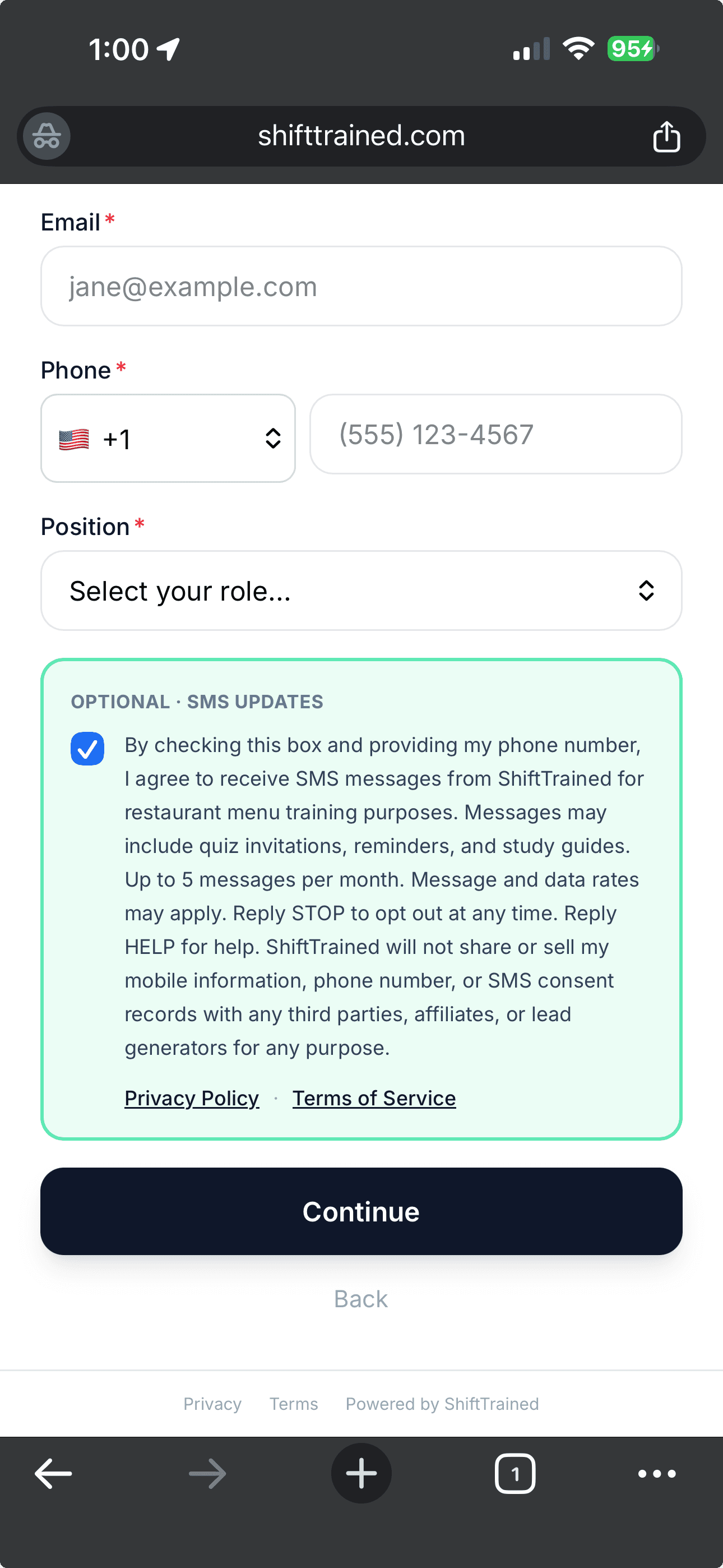
- The employee enters their contact information and taps “Continue.” The SMS consent checkbox is optional and unchecked by default; the Continue button is always enabled. Ticking the checkbox authorizes ShiftTrained to send the employee future training-related messages (quiz reminders, study guides). US and Canadian numbers receive these by SMS; numbers outside those countries receive them by WhatsApp, because business SMS from a US long code is undeliverable in much of the world. One consent covers both channels, and replying STOP on either stops both. Employees who do not tick the checkbox can still take the quiz and continue to be reached by their manager via email; no SMS or WhatsApp messages are sent to employees who have not opted in.
Opt-In Screen Demonstration
The card below is a visual reproduction of the exact screen an employee sees when they register for their first quiz. All consent language, opt-out instructions, and policy links shown here are present on the live screen.
Live Screen Reproduction
Welcome to [Restaurant Name] Training
Please enter your details to get started.
Optional · Text Updates
Demo preview, on the live screen, Continue is always enabled and SMS consent is optional.
Production Screenshots
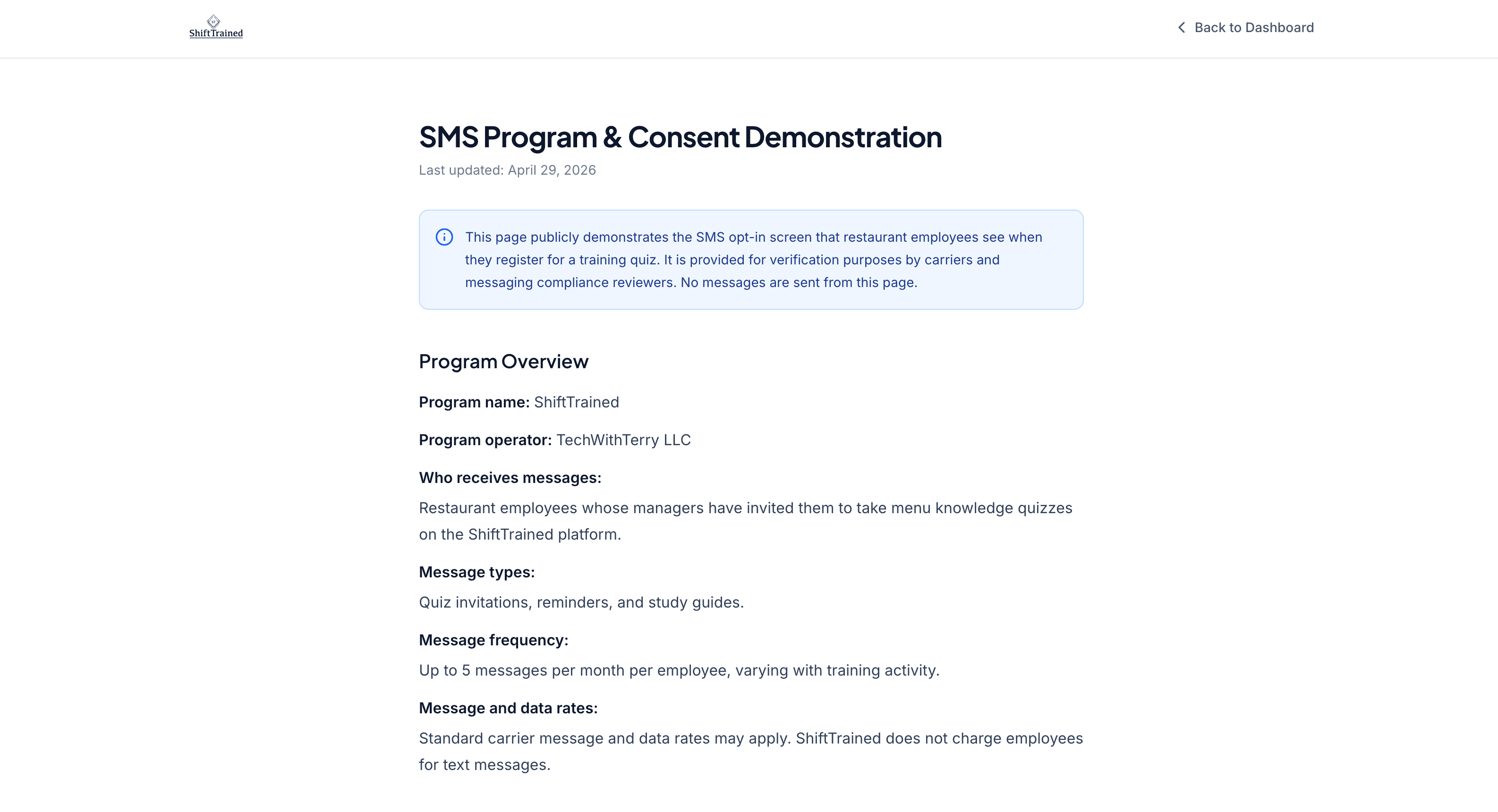
The screenshots below are taken from the live production environment and show the actual employee experience on a mobile device, plus the full content of this demonstration page on desktop.
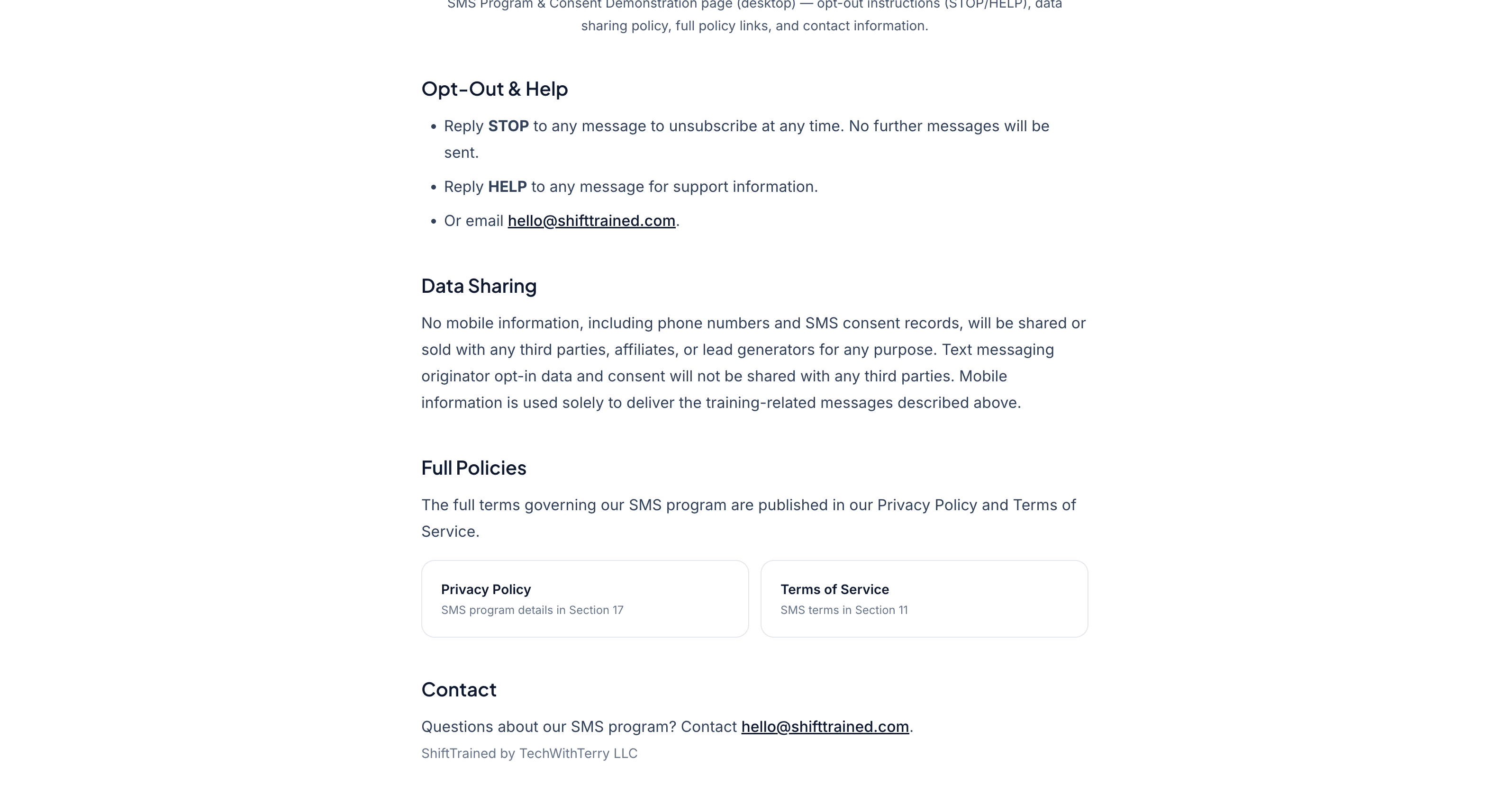
Opt-Out & Help
- Reply STOP to any message to unsubscribe at any time. No further messages will be sent.
- Reply HELP to any message for support information.
- Or email hello@shifttrained.com.
Data Sharing
No mobile information, including phone numbers and SMS consent records, will be shared or sold with any third parties, affiliates, or lead generators for any purpose. Text messaging originator opt-in data and consent will not be shared with any third parties. Mobile information is used solely to deliver the training-related messages described above.
Full Policies
The full terms governing our SMS program are published in our Privacy Policy and Terms of Service.
Contact
Questions about our SMS program? Contact hello@shifttrained.com.
ShiftTrained, Inc.
980 N Michigan Ave, Ste 1090, Chicago, IL 60611, USA